STEP 01
The battle banner
A PK BATTLE IN PROGRESS bar appears on the live page the moment a battle starts. The In-progress tab holds the current round; Past battles keeps every finished round of the session with final scores.
[ HOW-TO ]
When a tracked creator enters a PK battle, the live page switches into battle mode. You see the score move gift by gift — and, more importantly, WHO moves it.
A PK BATTLE IN PROGRESS bar appears on the live page the moment a battle starts. The In-progress tab holds the current round; Past battles keeps every finished round of the session with final scores.
Each side shows its running PK score — the diamond tally that decides the round — with the per-second delta ticking next to it. TIME LEFT counts the round down, and the red/green bar shows the split at a glance. FINAL STRETCH flags the closing seconds, when whales decide battles.
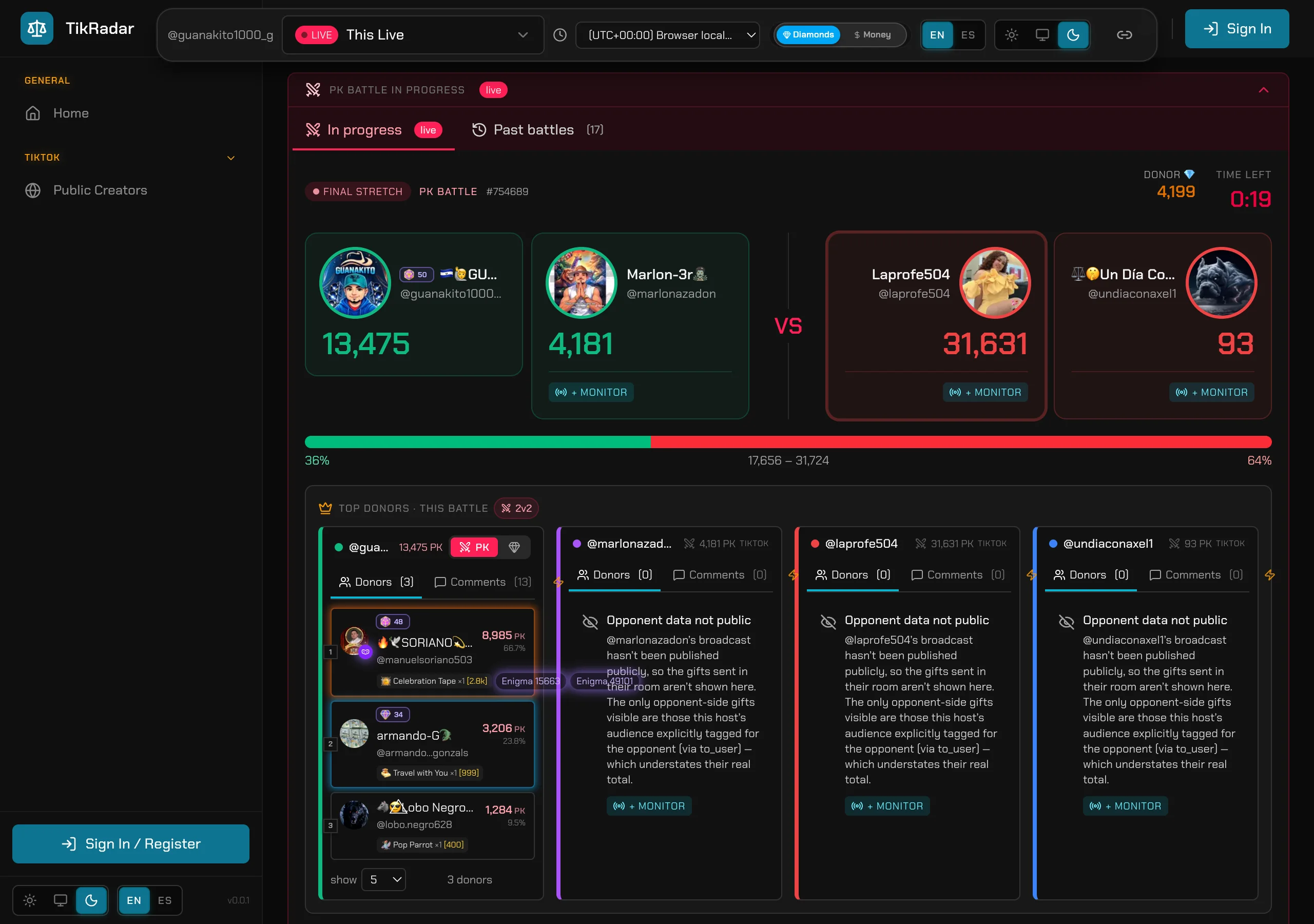
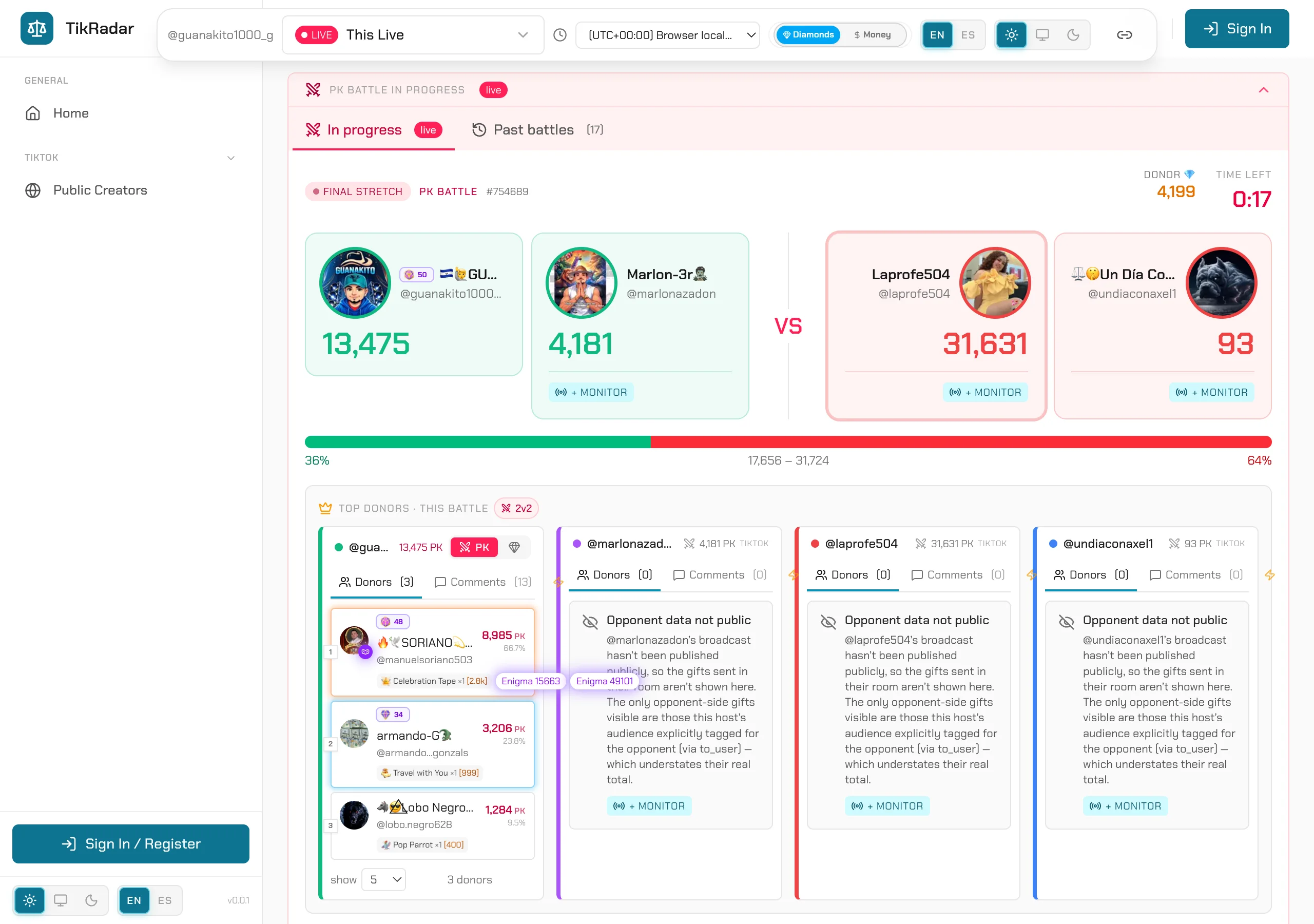
TOP DONORS — THIS BATTLE breaks each side down: every donor with their PK points, share of the side’s total, and the exact gifts they sent. This is the operator view — you know which whale tipped the round while it is still running.
If the opponent’s room is not publicly tracked, their column shows only the gifts your side’s audience explicitly tagged to them — their real total can be higher. TikRadar tells you this in the panel instead of showing a fake number. The + MONITOR button starts tracking the opponent with one click if you want their full side too.
Finished rounds move to Past battles with final scores and full donor rolls, and the creators’ head-to-head record builds over time — so the next time these two match up, you know the history.
Screenshots are real captures from the production console.
Open the public board, read the fleet strip, and drop into any featured creator’s live.
Header, earnings, activity calendar, diamond timeline, comments, gifts, and the audience panels — decoded top to bottom.
From any gifter name to their full profile: momentum, loyalty, heatmaps, and cross-creator history.