STEP 01
Open a profile
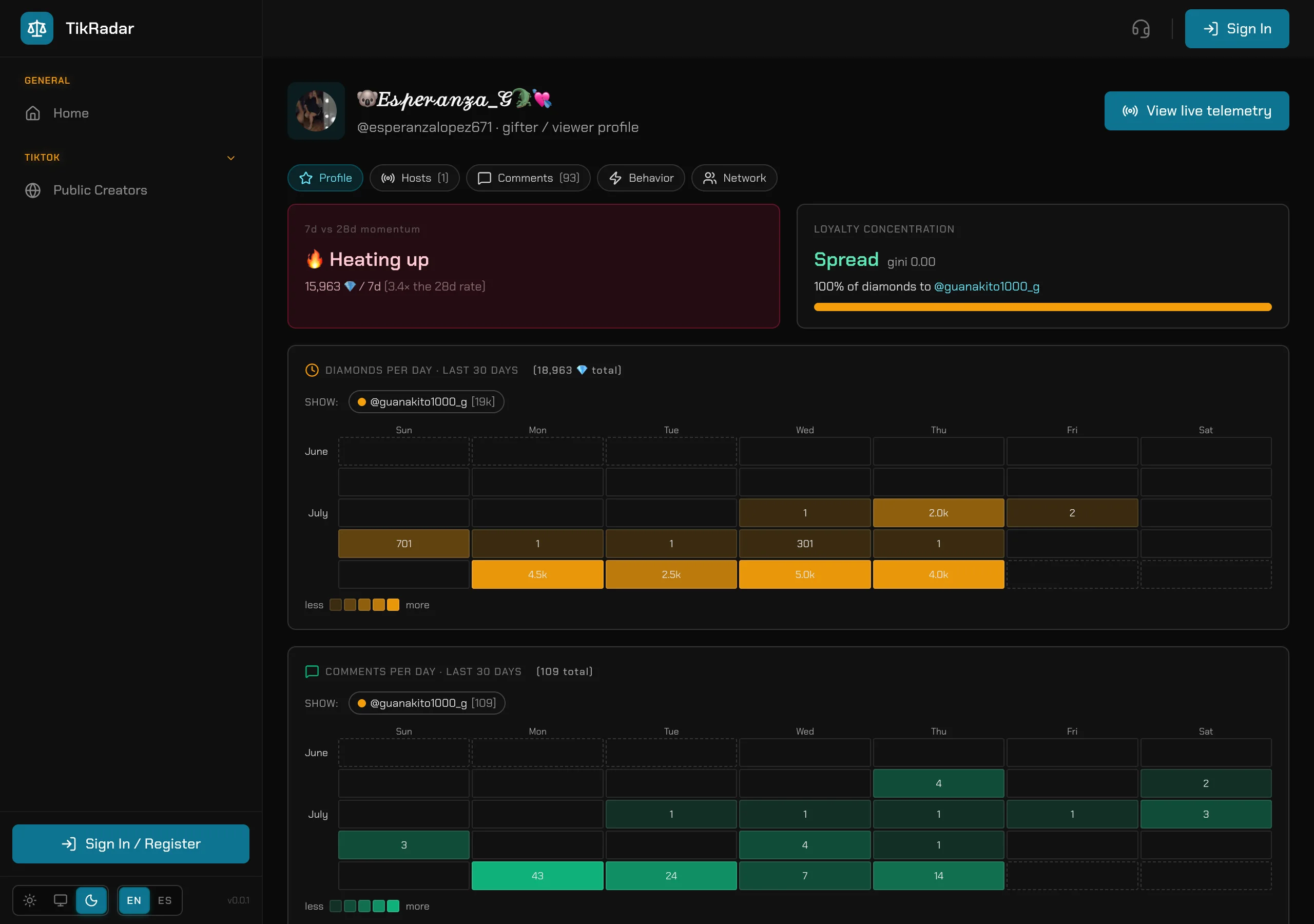
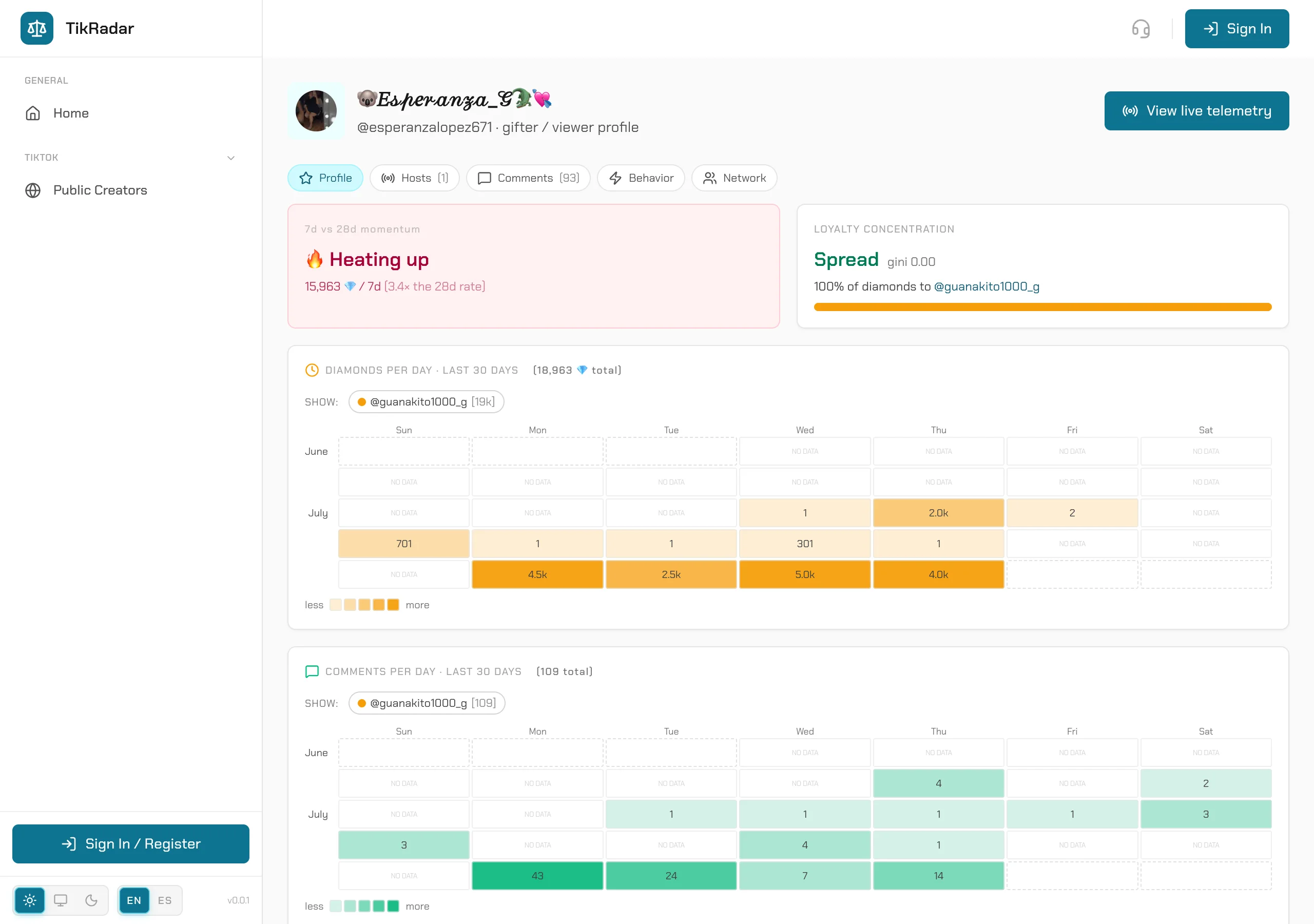
Click a gifter’s name anywhere in the console, or go directly to app.tikradar.io/@handle. The header shows their identity and a View live telemetry button when they are watchable right now.
[ HOW-TO ]
Every viewer TikRadar has ever seen has a profile page. Click any gifter anywhere — a leaderboard, a battle donor roll, a comment — and you get their whole story across every room we capture.
Click a gifter’s name anywhere in the console, or go directly to app.tikradar.io/@handle. The header shows their identity and a View live telemetry button when they are watchable right now.
The momentum panel compares their last 7 days of gifting against the 28-day rate — Heating up means they are accelerating. LOYALTY CONCENTRATION shows how their diamonds distribute across creators: a single bar means a one-creator whale; a spread means shared attention.
DIAMONDS PER DAY and COMMENTS PER DAY chart their last 30 days, per creator. You see exactly when they show up, how much they send, and whether they talk or just gift.
The tabs go deeper: every host they support with totals, their full comment history, behavior patterns, and the network view of who else gifts alongside them. This is how you vet a whale before a battle — or spot one being courted by another room.
Screenshots are real captures from the production console.
Open the public board, read the fleet strip, and drop into any featured creator’s live.
Header, earnings, activity calendar, diamond timeline, comments, gifts, and the audience panels — decoded top to bottom.
Score, timer, per-side donor rolls, and the honest caveat about opponent totals.