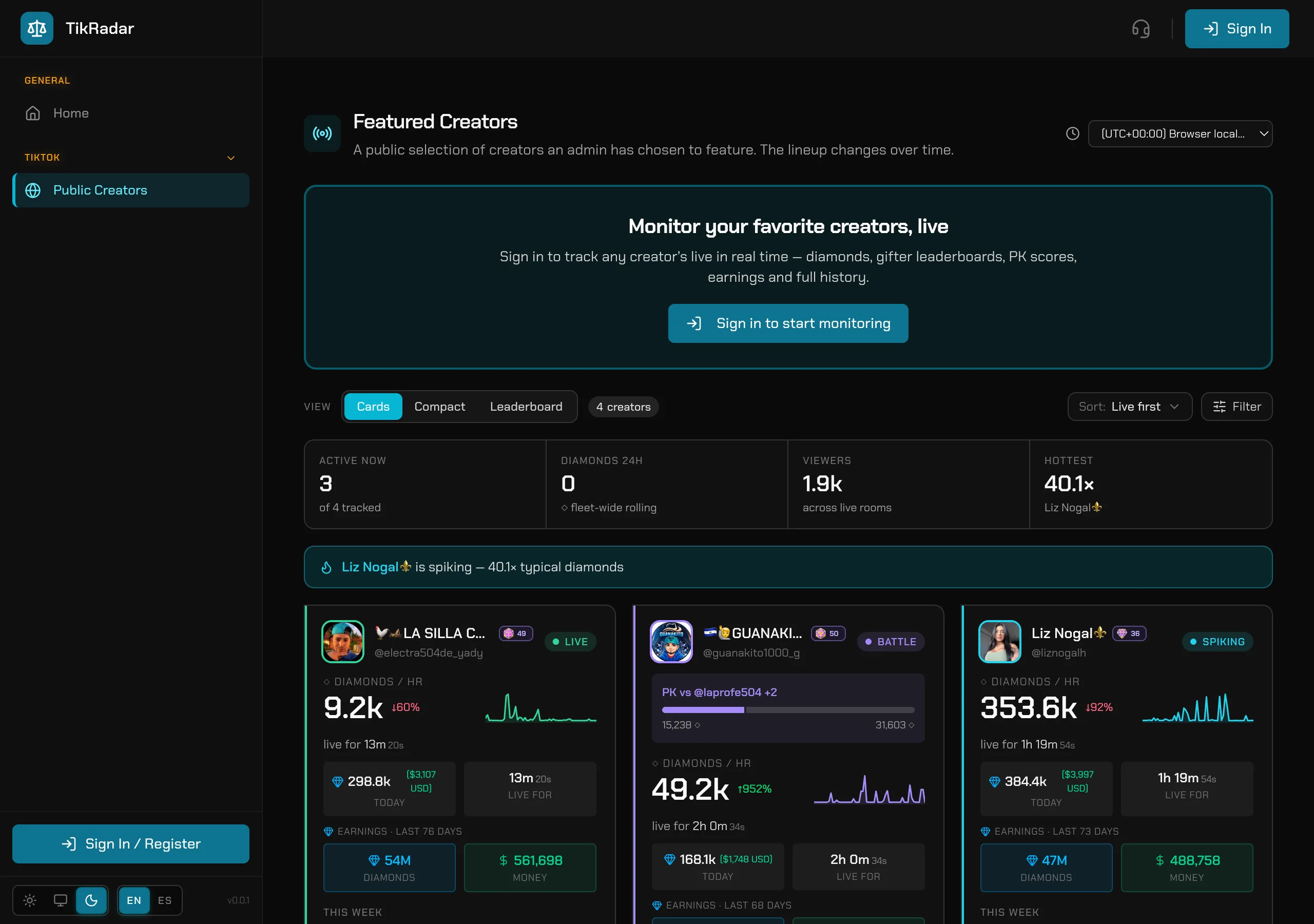
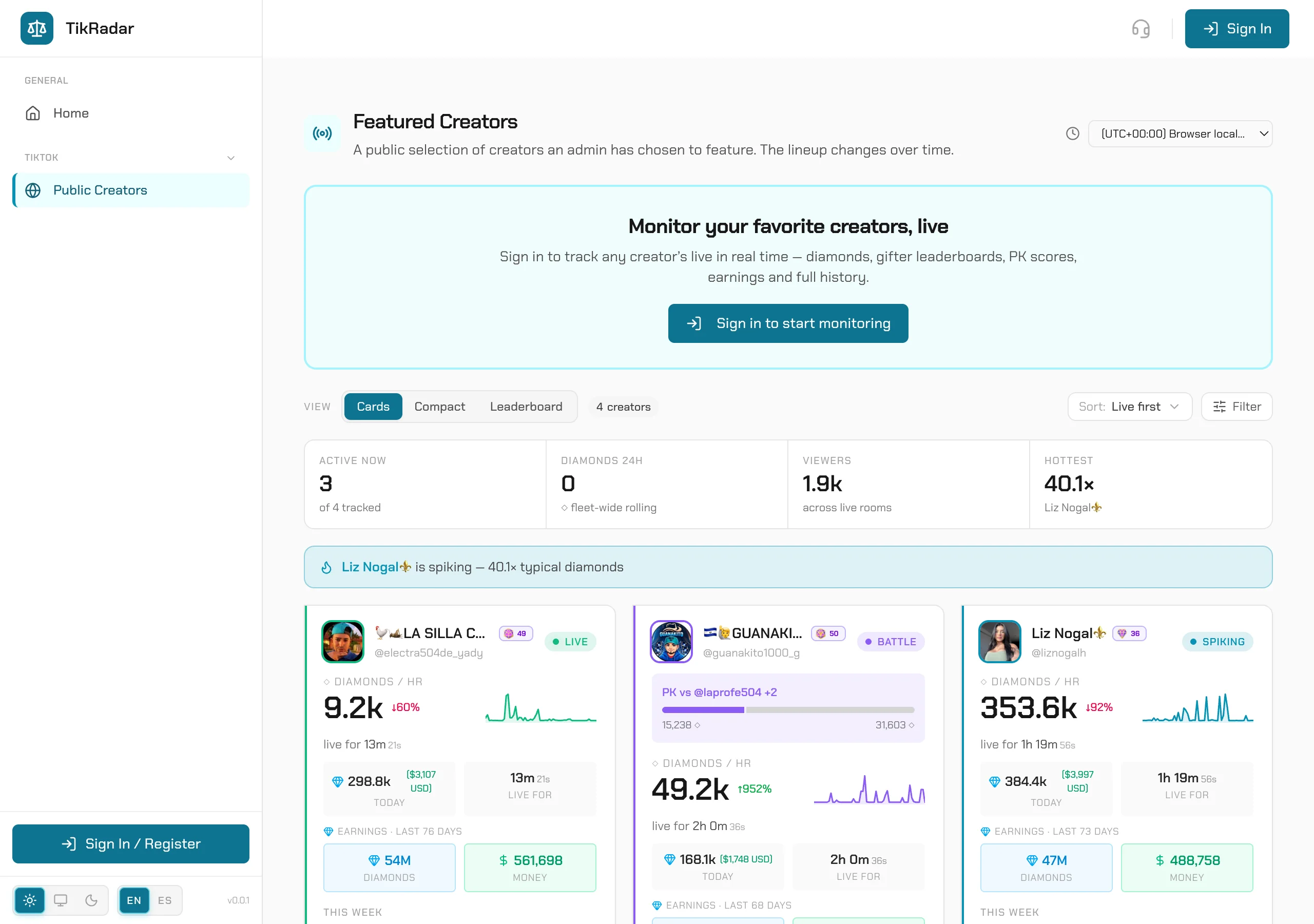
Make the console yours: timezone, money, language, theme
Diamonds at 3am UTC are useless if your roster streams in Mexico City. TikRadar renders every timestamp, every money figure, and every label the way YOU read them — and remembers it across pages and tabs.
STEP 01
Set your timezone
The timezone selector sits in the toolbar of every analytics page. Pick your zone — Mexico City, Bogotá, Madrid, anywhere — and every TikTok date and time on the page re-renders in it. The choice persists across pages and tabs.
STEP 02
Flip diamonds to money
The Diamonds / $ Money toggle switches every figure on the page between raw diamonds and USD. Calendars, cards, leaderboards, charts — one flip, everything follows.
STEP 03
Choose your language
EN / ES switches the whole console between English and Latin-American Spanish. The marketing site is bilingual too.
STEP 04
Pick your theme
Light, System, or Dark — from the theme control in the sidebar. Every chart, badge, and panel ships in both themes, so the console is readable at noon and at 3am. Your preference sticks.
Screenshots are real captures from the production console.